Apple sent invitations to members of the press for an event to be held at the Yerba Buena Center for the Arts Theater in San Francisco on October 22, 2013, which will mostly cover the iPad.
Improved camera with an 8-megapixel sensor, up from 5MP in latest models
Select iPhone 5S features:
Slow-mo camera
Fingerprint sensor
64-bit A7 processor
Available in other colors; most likely gold, gray, and silver
Retina display in the iPad mini
One of my favorite rumors is that of a complete redesign. Some are speculating that the new iPad 5 and iPad Mini 2 will not resemble their predecessor.
What are you most looking forward to about the new iPads and the October 22 event? Are you in the market for a new tablet? What can Apple offer in the new models to help you make your decision?
As the holiday season commences and Black Friday game plans are being put together, present budgeting can be a valuable tool.
How many times do find something you want to buy but you stand there thinking about what else you've already bought for this person? How many times do you realize you've really overspent on a particular person? How many times have you forgotten about presents you purchased and lose them somewhere in your house and never give them to a person? So much valuable time and money wasted!
Last year I downloaded Christmas Gifts List Free for my iPhone and it was the perfect solutions for all of my shopping, planning, and budgeting needs for the season!
Once you've downloaded the app, start off by adding people to your list of present recievers and setting a budget for that individual.
Once you've done that, go into that person(s) section and start adding items and their cost to your shopping guide.
Once you've purchased an item for that person, check it off in the list and the app will recalculate how much you have spent and what is left of your budget for that person.
On the apps homescreen, it keeps a running tally of all the people you are shopping for this season and how much you are spending/have spent on each and everyone one of them. Once you've finished shopping for a person just place a check mark next to their name.
Apparently last year I really under-budgeted!
You can even have a secure log in password for the app to keep your pesky loved ones from snooping around and ruining the surprise!
Like I said, I used this app all last year during the holiday shopping frenzy and I absolutely loved it. There's a notes section in the gifts entry so I used that to keep track of when I ordered gifts and when its delivery date would be.
This app is super simple and straight to the point. There is no unnecessary bells and whistles that complicate the process... it just makes Christmas shopping EASY!
DISCLAIMER: All the screencaps shown here are based on last year's Christmas shopping plus a little creative altering as examples. To those people shown here, don't get all excited... I hardly done any shopping!
It's finally here! Apple released on press invitations for its next big launch: the iPad Mini!
The invite says: “We’ve got a little more to show you.
"Little" is the keyword here. The iPad Mini tablet is expected to be much smaller than the current 9.7-inch iPad model. Rumors and leaks put the new tablet at 7 inches and at fewer pixels than the current size. Some are saying the new device could have a retina-resolution display, 3G connectivity, and use the new lightning connector introduced with the iPhone 5.
The invitation-only event will be held at the California Theatre in San Jose, CA on October 23 at 10:00 a.m. PT.
I've really been wanting a case/keyboard combo for my iPad 2 but I hadn't really found one I liked.
A lot of the keyboards I came across had a very "Microsoft" feel to them like this Bluetooth® Keyboard Pro Portfolio for iPad® Tablet sold at Brookstone. So I came up with a list of requirements I needed a case to fulfill for me to deem it worthy of my use. It had to be a case and keyboard combo. The keyboard needed to have the same look and feel as the Apple product family. It had to be protective of my iPad. It had to be light in weight and easy to carry around in one of my fancy handbags. And last, but not least, I needed something easy to use. I just want to pull it out of my bag and start typing immediately.
After doing some research, I ended up going with the ZaggFolio, which was also highly recommended by Consumer Reports.
After using the case for a few months, it definitely does not disappoint!
Made of light-weight plastic contruction, the Zagg Folio features a carbonfiber-like exterior in a broad range of colors or several leather options and the keyboard comes in either black, silver or white. I went with a pink/raspberry case and silver keyboard combo. Although you're adding a keyboard and case to the bulk of the iPad, it still feels slim and portable!
Setup was quick and painless! First slide you iPad into the top half of the case and then you're ready for pairing. To pair, you just had to switch the power switch on the keyboard to the "on" position and press the "connect" button. Then by opening your iPad's bluetooth connectivity settings, you can pair the keyboard in a matter of seconds and never have to worry about it again.
You also hardly have to worry about charging the keyboard. I believe I remember Zagg bragging somewhere on their site that you should only have to charge the keyboard four times a year. So far, this has been true. In the eight months I have been toting the Zagg Folio around, I have only charged the keyboard once! When you do have to charge it, simply plug it in using the complimentary microUSB cord.
A lot of the people that have tested out my case have commented on the small keys and their proximity to each other. I personally like the feel of the keyboard, but I have small hands so I can see how typing might be cramped for someone with larger hands.
One great feature of the keyboard is that it has a lot of iPad-specific function keys, such as home, photos, show on-screen keyboard, cut, copy, paste, media controls, and a search function. These make the functionality of the iPad paired with the keyboard so much more user friendly.
Here's a quick rundown:
Pros
Removable bluetooth keyboard
Long lasting battery life (keyboard)
Responsive keys
Easily connectable
Thin
Cons
Awkward closing
Cramped keys
Portrait mode only
Not only am I using my iPad with the Zagg Folio for work but it also got me through my last semester of grad school after my 9 year old MacBook passed away. A lot of people don't think a tablet can be a replacement for a laptop, but if you're simply doing basic note-taking, word processing, and internet browsing a tablet is really all you need! My iPad + Zagg Folio and I are attached at the hip from the boardroom to the classroom and I couldn't imagine it any other way!
Overall, I completely love it! It's so much more portable than a laptop but much more user friendly than an iPad itself. I give it 5 stars!
As we all know, I love my iPad and take it everywhere with me. I also like shopping for accessories for my iPad! Lately I have realized that there is something beautiful about a handmade item paired with a flawless industrial object, like an iPad.
The summer season is beginning and I have two trips planned, possibly three, for the next couple months. As much as I love taking pictures with my Sony NEX, I love posting my pictures in real time even more so I often opt for using my iPhone instead so I can easily upload to Instagram or Facebook.
However, I always have my iPad with me so I thought I'd give the Camera Connection Kit a shot as a better compromise.
I should receive it in the mail in a few days and shortly after that I will be going on a weekend getaway to my friend's family lake house with about 15 other close friends. This will be the perfect opportunity to test the lil guy!
Yesterday Apple sent out invitations for a March 9th unveiling in San Francisco. By the looks of the invitation, I (along with everyone else) are assuming this is the unveiling of the iPad 3.
Here is a list of some of the best iPad 3 rumors out there:
Speed of Light Bloomberg reported that the next-generation iPad will be faster by running on a quad-core chip. It is also said to feature a high-definition screen and be compatible with long-term evolution (LTE), a wireless network that allows users to access data more quickly.
iPad 3 Educational Material
It has been reported that there are iPad 3 reading material and how-to resources out there. According to GameZone, Amazon added two iPad 3 books to its European site — both in French and German. According to this same report, the iPad 3 for Dummies is scheduled to be published on March 29.
Siri, Your Personal Assistant
According to 9to5Mac, Apple is adding Siri Dictation to the iPad 3. While looking through the iOS 5.1 beta 3 settings application on the iPad it was noted a new section called “Privacy and Dictation,” which included legal and feature information for Siri.
Looks Makeover iLounge recently reported that it saw the prototype of the next-generation iPad at the 2012 Consumer Electronics Show (CES). It looked just like the iPad 2, only thicker by about 1 mm. The camera in the top left corner is expected to be similar to the camera on the iPhone 4S.
There's even a change of an edge-to-edge retina display that allows multiple iPads to interact together, like this concept:
Lighter Price Tag
There have many suggestions that the next-gen iPad will not include the hefty price tag that we are familiar seeing with the pervious iPads. This would be in an effort to compete with the Kindles and Android tablets.
Bottom line is though, the next gen model going must be monumentally different than the iPad 2. Fanboys and girls were upset enough for the unveiling of an iPhone 4s rather than the 5 (Siri isn't that impressive). Is there a chance we might just be seeing the iPad 4s and not a total revamp at all?
Yes, I have indeed crossed over to the dark side of the literature world.
I have always been a fan of physical books. I like the smell, I like placing them on shelves and I like the anticipation that builds before turning the page.
Have you ever turned the page so quickly out of pure anxiety of what was going to happen next that you ripped the page? I have. And I'm not sure I ever will again.
I have to admit, I'm not as avid of a reader as I was in the past. I'm more into reading tweets and blogs and getting my daily fill of breaking tech news these days. Also, my purse is heavy enough with everything I insist on keeping with me at all times. Plus I feel that if I brought a book I'd have to sacrifice my iPad in the name of space.
Leave my iPad at home?! I think not! So I decided to give this whole ebook thing a shot.
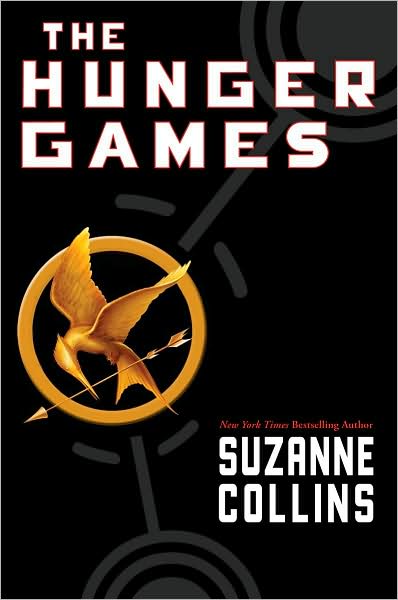
Using Apple's iBook application, I quickly got my hands on a copy of Suzanne Collins' The Hunger Games, which my friends and I are reading for our newly founded book club.
After a day of reading I was not only in love with the book but also in love with my iPad turned eReader!
6 Reasons Why I Took My Reading Digital
I can read in the dark. No more choosing my place to relax and read according to the lighting quality.
I can multitask. With the press of a button I can take a break to check my email, tweet about how good the book is, or participate in my online book club.
I always have my iPhone with me. Even when I don't have room to carry a book or my iPad, I can still read on my iPhone because iBooks makes that super convenient. If I leave off on page 273 on my iPad, when I open the iBooks app on my phone it automatically advances me to page 273.
I can read when I'm supposed to be doing something else. I like to read on my lunch but for some reason people feel like it's okay to disturb you while reading a book. However if I'm reading on my iPad, everyone leaves me alone. It must look like I'm deep into through over an email or some kind of project.
Practice what I preach. I have been a huge advocate for digital books (most specifically, digital textbooks) but I rarely ever use them. I'm not sure why. Probably because my life is so busy I just go with whatever is most convenient and I don't have time to deal with a dead battery when I just need to read. But it's time I make that leap. I can't be a tech junkie without with piece of the pie!
Reading books on it gives me another reason why justifying the iPad's hefty price tag.
The only downside is that the "library" I plan on building in my house won't have much on the shelves now...