Showing posts with label review. Show all posts

Thursday, November 5, 2015

Don't know what to do? Ask Twitter!

Last week Twitter announced that you would soon be able to poll your followers and other users on the platform with a multiple choice question.

If you want the public’s opinion on something — what to name your dog, who will win tonight’s game, which election issue people care about most — there’s no better place to look than on Twitter.

For poll creators, this is a great new way to engage with Twitter’s massive audience and understand exactly what people think. And for those participating, it’s a very easy way to make your voice heard.

Here's how it works: 
  1. Select the icon you would normally click to compose a tweet (this functionality will be available on OSX, Android, and desktop when it is fully rolled out).
  2. From there you can click the poll icon which will allow you to create your own two-choice poll right from the compose box.


  3. Type your question into the Compose New Tweet box and add your carefully selected two choices into the lines below.
  4. When you're finished, click Tweet!
Once you click Tweet, your poll will remain live for 24 hours. Anyone can vote on any poll and how you voted is not shared publicly. They can also choose to share, favorite, and comment on the poll using the @Reply function.
So here's my question to you...

My Thoughts

  • Much needed addition. Although in the past Twitter has offered a few ways to participate in and conduct polls by tweeting questions and tracking replies, tallying hashtag votes, or asking followers to favorite or retweet to vote it was difficult and time consuming.
  • Poll choices are kept short. I know Twitter is the king of short-hand but the character limit for the poll responses are so short it's annoying.
  • Not enough choices. Two choices?! I'm not saying that there needs to be an unlimted amount of selections but there definitely needs to be more than two. The way it stands there isn't even room for a Yes, No, Maybe option!
Give it a try and let me know what you think! I'm looking forward to see how these polls pan out for brands and individuals alike!

Wednesday, August 5, 2015

Scheduling Instagram Posts Is Now Possible But Not Convenient

Instagram—one of the fastest-growing mobile social networks—recently announced its integration with Hootsuite—a social media management tool—to help you manage, schedule, and monitor your Instagram activity in a whole new way.

"Publishing content to your Instagram profile can be a challenge - you can't always stop what you're doing to post at the optimal time of the day. By using Hootsuite to compose and schedule your Instagram posts, you can plan what you publish in advance and have a bird's eye view of all your upcoming social messages."

As a community manager and an avid Instagrammer, this feature was much needed and an absolute God-send but now that it's here I'm not entirely impressed by it. It is way too cumbersome and time consuming, not to mention it is far from being automated.

For starters, the process is lengthy:

1. Set up your post in Hootsuite
From Hootsuite you can create a post and attach a picture similar to what you would do with a tweet or Facebook status. In this step you will not be able to edit your picture, which includes cropping, adjusting the image, or adding a filter. You can add a caption, but I recommend not wasting your time. You'll see why in step 3. In this step you will also schedule a time (or use the auto feature) for it to post.


2. It's time!
It is important to note that while you can compose and schedule Instagram posts within Hootsuite, Instagram requires you to publish the post through the Instagram app on your mobile device. So when it's time for your image to post to Instagram, Hootsuite will send a push notification to your phone alerting you to take action. Contrary to what you may have expected Hootsuite isn't going to actually publish it for you like it does with all the other social networks it manages. 


3. Review & Transfer
Once you click on the pop-up notification on your phone, you will be directed into the new Hootsuite Notification Center to review your scheduled post and send transfer it to the Instagram mobile app.


3. Copy Your Caption Out of Hootsuite
If you took the time to enter a caption into Hootsuite, it doesn't automatically transfer over. So Hootsuite is nice enough to copy it for you but once you get into the caption part of the process in Instagram, you will have to paste the caption into its place.


4. Make Sure Your Logged In Correctly
Hootsuite is also not able to verify and confirm that you are posting to the correct account so they give you a heads up to make sure you are publishing to your intended account.


5. Open in Instagram
Finally, after clicking Open in Instagram twice, you are finally transferred over to the Instagram app.


6. Business As Usual
Instagram opens as it usually does, this time with your image already loaded. 


From here you can edit the image, crop it, and add your fav filter. You can either paste the caption your originally put into Hootsuite or you can make up an entirely new one. It doesn't really matter!


7. Post it!
Now that you have a new caption and a great filer plus wasted a whole lot of time with Hootsuite, it's time to click Share and post your picture to Instagram and wait for the likes to roll in!

And now you need a nap from all that work!

Remember in the beginning when Hootsuite said if understands you can't always stop what you're doing to post at the optimal time of the day so it was here to help? No, it's just here to nag us and remind us about how you need to stop what you're doing NOW and post a picture that you thought would be cool weeks ago that now isn't really relevant.

Need more help or have other questions? Download the Hootsuite / Instagram Quick Start Guide from Hootsuite.


Note: As Instagram requires posts to be published through its mobile app, you need to have both the Instagram app, as well as the latest Hootsuite mobile app to publish to Instagram. You can download it on the iTunes App Store or the Google Play Store.

Friday, September 19, 2014

Vinted: Best This to Happen Since the Invention of Shopping Malls


My name is Katelyn and I am a shopaholic. There I said it. No shame. I love it.

When I was looking to buy a home, no closet was big enough to hold my haul. So when I finally purchased a house, I turned all my closets into storage areas and built a beautifully gigantic closet in the basement.

But I have to be honest, I don't wear all of it.

After every season I pick out all the pieces I didn't wear that season and most of them I throw in a bag to donate. But now that I've been in the corporate world for awhile, I'm starting to replace a lot of my business basics and I started to look for a better way to get rid of them and find new items at a great price.

Introducing, Vinted!

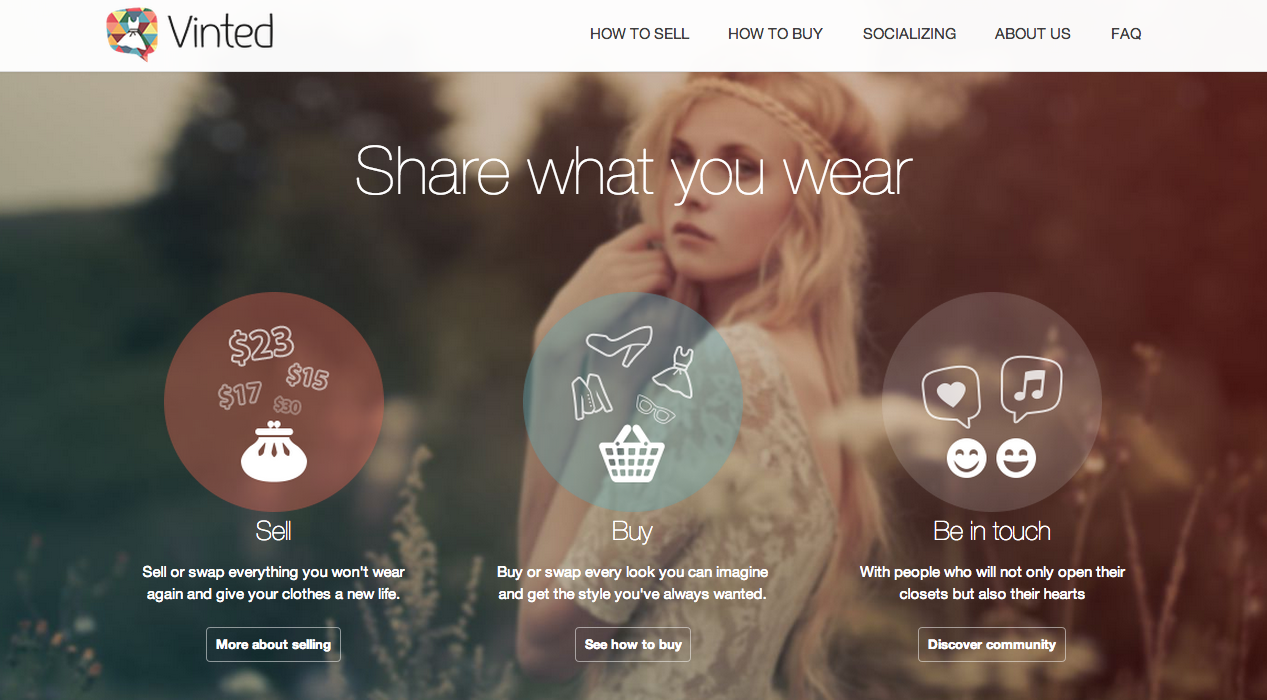
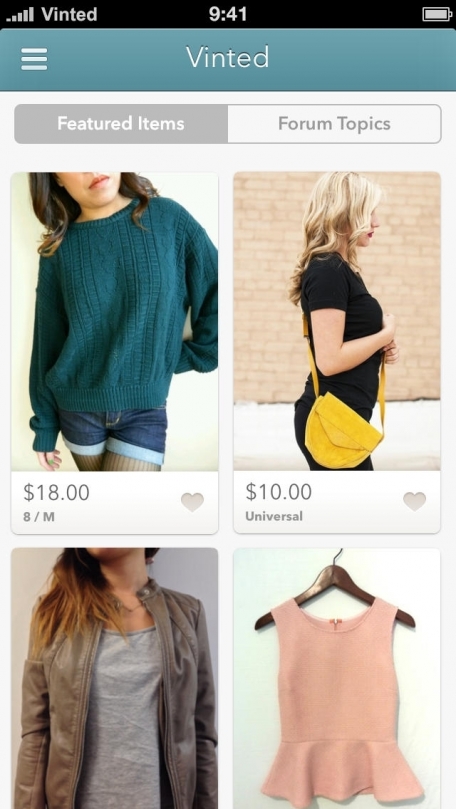
I am absolutely obsessed with Vinted.com. If you haven't already checked it out, Vinted is a dedicated to a peer-to-peer marketplace for women and men to sell, buy and swap clothes. It allows members to communicate directly and has the features of a social networking service.


First off, a big thank you to Facebook Ads for introducing me to vinted.com.

How It Works

You can sell or swap things you no longer wear, and give your clothing and accessories a new life in the hands of someone else. Iff you feel like you need to update your own wardrobe, you can buy or swap pieces from other members' "closets."

All you have to do is take a few pictures of the item you want to sell, write a detailed description, and price it fairly. With the Vinted messaging system, it’s very easy to negotiate and bundle with buyers/sellers. When a deal has been made, Vinted emails you a prepaid shipping label (paid for by the buyer), and all you have to do is package the item up get it in the mail by either dropping it off at the post office or by scheduling a USPS free pickup.

Cost

I was very surprised at how reasonable Vinted is for both the sellers and buyers. Accounts are free and there are NO fees for listing an item, instead each time you make a sale a 19% fee is taken out of the total price. Vinted is very upfront with this fee. When you’re adding the item for sale, you get to see what your final payment will be with the 19% fee already taken out.

Is It Worth It?

I created my free account earlier this week, and have already sold a hot pink blazer (that I only wore once before my mom called me a flight attendant) and I swapped a hardly ever used Kenneth Cole tote bag for two brand Banana Republic sweaters, brand new with tags still attached, and a scarf.

So yes, it's worth it. I've been able to start refreshing my wardrobe for fall without spending any money (I actually made money). I know it seems counterintuitive to be minimizing my closet by also getting new items but you can't pass up the deals!

My favorite feature is that you can shop by brand then narrow it down to your size. I'm finding great deals on business casual clothes from H&M, Banana Republic, The Limited, Express, and Ann Taylor that I would have otherwise spent and arm and a leg on!

Try It!

If you're interested in giving it a try, whether it is to just shop or sell (or both), I highly recommend using my referral link below (or http://www.vinted.com/referral/2036947). By using the referral link to sign up you will receive a $5.00 complimentary credit (and so will I) so it's most definitely worth it!


You can also visit my closet here!

As of January 2014, it had 3 million members and 14 million listings on free iOS and Android apps.

It is available in the United States on Vinted.com, the United Kingdom on Vinted.co.uk, Germany on Kleiderkreisel.de, France on Vinted.fr, Austria on Kleiderkreisel.at, Poland on Vinted.pl, Czech Republic on Votocvohoz.cz, and Lithuania on Vinted.lt.

Friday, August 22, 2014

How To Send Messages Without Facebook Messenger App

Facebook Messenger has rolled out to iOS and Android devices, and many users aren’t too happy with it. Now instead of being able to instant message through the native Facebook app, you have to use a seperate app--Facebook Messenger.

Although Facebook Messenger has been available since 2011, many users who have still not downloaded the app are reluctant to do so and are not pleased about the new push to force them into the app. As a result, a lot of users are already looking for loopholes around the messenger app so they can still send and read received messages without downloading a completely different app.

Now I know what you're thinking, "Why is this such a big deal?" Two reasons... People don't like to be forced to do something, especially by a big brand like Facebook who is often reviewed as being too pushy or intrusive. Secondly, there are some people like me who opted for the cheaper iPhone with less storage but still like to take and save a million pictures and there is just no more storage room on their phones for another app.

Plus, I just don't understand. Facebook calls it a faster way to message. However I'm just not sure how closing one app, scrolling through the all my other apps to find Messenger, only to use it to send my message then close it to go back to the regular Facebook app is really faster.

So here is a way around the new Facebook Messenger App...

How to send Facebook messages without Facebook Messenger
Use the mobile browser. Yes, it's that simple. Your normal Facebook app will still alert you when you have a message from a friend but when you try and view it you get an annoying message about downloading Facebook Messenger.

Source: Mashable
So instead, once you get the notification open up your phone's mobile browser and go to facebook.com. You'll be redirected to Facebook's crappy, watered down, mobile site however the messaging piece of it works perfectly.
Source: Cnet
I still recommend using the normal app for all you other day to day activities, but leave messaging to the mobile site.

Thursday, August 14, 2014

Wearables Are Finally Getting Fashionable

I recently started a new job and I'm trying to make my best impression. I'm trying to live that "dress for the job you want, not the job you have" motto, which means I choosing more and more to ditch my FitBit Flex for more sophisticated accessories like my new Shinola watch.


Women have been trying to make their fitness trackers fashionable since they were first introduced. 


Although you can really cute them up by pairing them with some great stacking bracelets, they still didn't blend into formal business wear until now!

I've noticed lately that there is a new trend among fitness trackers. Wearable fitness trackers are finally coming around to actually looking fashionable. Whether they are interchangeable accessories for already-established big name brands or brand new wearables to market, they are getting much better at camouflaging and blending in as fashionable accessories.

Griffin Ribbons
Gfiffin goes fresh and fashionable with their Ribbon Wristband--a colorful alternative to the bulky rubber and plastic wristbands that come with your fitness tracker. Inspired by the popular ribbon hair ties seen everywhere, the comfortable, wicking nylon ribbon hides your Fitbit or Sony tracker in a secure spandex pocket. It easily adjusts for a perfect fit; just re-tie the knot.
Reasonably priced, they come in 2-band packs: hot pink/black and silver/purple.


Tory Burch
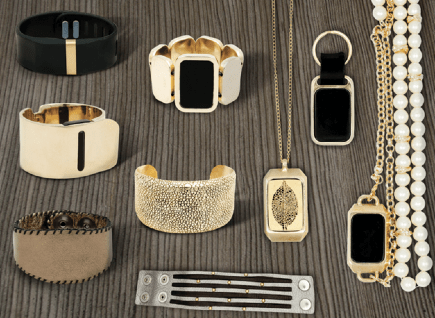
Recently, fashion designer, Tory Burch unveiled a new accessory line for FitBit. Burch's accessory collection is made up of four distinctive pieces, including a brass pendant, a brass bracelet, and two artsy silicone bands (pink and blue). Each was designed to house a Fitbit Flex.
The Tory Burch accessories are priced as high-end designer items and are currently only available for presale.

Cuff
Cuff definitely tops the cake with their new to market wearable technology and its interchangeable accessories. Cuff is a new device that functions in three ways: notifications (vibrating when your cell phone recieves an incoming call/text), activity tracking (similar to other fitness trackers), and safety/peace of mind (by setting up your cuff, you can use it to notify others of your distress via their phones). Check out their introductory video, I think it will completely change your mind on how you feel about trackers. The best part is that they have a whole line of accessories to choose from, all of which security fit and camouflage your tracker.
Currently Cuff is only available for preorder, however they are offering discounted preorder prices. Cuff is aiming for a March 2015 release.

I'm excited to see where this trend is going as wearables start looking less utilitarian and more fashionable. And I'm definitely hoping more designers will jump on the bandwagon and start designing other options!

Sunday, May 18, 2014

Bitbelt Review Part 2 and GIVEAWAY

A few weeks ago I started testing out a new product called Bitbelt, a product that promises to ease your worries about losing your fitness tracker bands.


Bitbelt, a company started in 2013 during the rise in consumer wearable wrist fitness trackers such as the FitBit, that promises to answer the prayers of anyone who fears losing their wrist trackers. The goal of Bitbelts is to protect people from losing their costly fitness trackers due to weak or flawed fasteners or from snagging and falling off. Bitbelt makes safety belts for in sizes for both Fitbit Flex and Force, Samsung Gear Fit, Vivofit, and the Disney Magic Bands.

I've been wearing my Bitbelt for almost a month and I can't image wearing Fitbit without it now!


The two rubber materials of the Bitbelt and the Fitbit band don't slide well against each other making it near impossible for the Bitbelt to come lose. It might be a little difficult to get on but that makes it just that much harder for it to accidentally fall off.

There's not more worrying that my Fitbit is going to snag on my coat or sweatshirt when I'm taking it off and loosening the clasp, allowing for the band to fall off and get lost later.

Thanks to Bitbelt, I now have the peace of mind when wearing my wrist fitness tracker that I won't lose it! It also doesn't hurt that they come in a bunch of fun colors (some even glow in the dark) and they're offered at a great price so there's no excuse not to have at least one.


I love Bitbelts so much that I want to give away a few to some of my loyal readers!

I've giving away two Bitbelt JRs, which can be used to protect the Fitbit Flex, Samsung Gear Fit, and the small/junior-sized Disney Magic Band.
To enter, fill out the form below:
a Rafflecopter giveaway

The giveaway will be open starting on May 19, 2014 at 12:00 p.m. EST and will end May 30, 2014 at 12:00 p.m. EST. Entrants can enter once per day.

Thursday, April 24, 2014

Bitbelt Review

How many of you fitness tracker wearers have had your devices fall off? Have them come loose during normal wear or gotten snagged and pulled off? Maybe you've even lost your expensive tracker for good because it came off your wrist...

Thankfully, every time my tracker has come off I have either noticed immediately or was able to find it around the house. The more this happens the more I feel like my luck is about to run out and I will eventually lose it for good!


I recently was contacted by Bitbelt, a company started in 2013 during the rise in consumer wearable wrist fitness trackers such as the FitBit, that promises an answer to my prayers. The goal of Bitbelts is to protect you from losing their costly fitness trackers due to weak or flawed fasteners or from snagging and falling off. 

Bitbelt makes safety belts for in sizes for both Fitbit Flex and Force, Samsung Gear Fit, Vivofit, and the Disney Magic Bands.

Bitbelt wanted to send me some of their rubber safety belts to wear with my FitBit Flex to help ease my worries and to share my experience with my followers.

Today is my first day wearing the Bitbelt and so far so good.

First I slid the rubber Bitbelt on to the side of the band with the fastener before putting the band on.

Once the band is on, slide the Bitbelt up so that it securely holds both ends of your fitness band together. I have to admit, this part was a little tricky. 


The two materials don't slide well against each other and since you can only use one hand, it's a little difficult. However, I suppose this is a good thing. If it's hard to get on then it won't be easy to accidentally come off.


So now that my Fitbit is securely attached, I'm on my way to a week's worth of testing! Wish me luck!

I'll report back next week on my overall feelings!

Monday, October 21, 2013

BioBeats: Your Biometrics Put to Music

This new(ish) app was recently brought to my attention called Pulse by BioBeats, which makes music based on the tempo of your heartbeat to generate music based on your bio metrics.

Summary by Healthworks Collective:

BioBeats and the app, Pulse, use Adaptive Media and want to help the people that use the app live more engaging, healthier lives.

Pulse uses the optical sensor in the iPhone camera to detect the changes in color in your finger as the blood flows through it. All you have to do is hold your finger over that sensor for a minute and the app determines the heart rate and makes music off that tempo.

BioBeats was formed in 2012 when two classically trained musicians met with Nadeem Kassam, an entrepreneur who got interested in heart rate and stress following a burnout that forced him to pay more attention to wellness and healthy living. Kasaam believes that healthcare needs a revolution to make it fun and entertaining so that more people will engage in the idea of lasting wellness.

The app recently teamed up with pop group Far East Movement and invited users to stream their heartbeats in to the studio. 1.5 million fans responded to the invitation and the event was a massive success.

Kassam explains, “In the consumer space it’s really about awareness – the fans hadn't thought about monitoring their heart, but the app might turn more and more people onto self-monitoring and working towards prevention.”

They recently won the IC Tomorrow Digital Innovation Contest for Clinical Excellence award for improving digital health innovation. The prize consisted of a grant to work with the University College of London to develop a clinical application for Pulse. They will be working on producing a waveform a bit like an electrocardiograph, or ECG. This can provide clinicians with information about the way the heart is functioning, how much blood is being pumped and the distance between the beats.

From the BioBeats website: "BioBeats believes everyone should have the opportunity to learn about their health and have access to healthcare. Modern technology is enabling our visions. BioBeats builds technologies that respond not only to heart beats, breaths and movement, but also to our evolving lifestyles. We will help power the digital health revolution."

My Review

I've been feeling particularly stressed out lately due to normal life things and I decided to give Pulse a try--mainly as distraction.

I opened the App Store and searched for Pulse. Bad idea. Do you know how many apps are named Pulse that come up before this one? A lot. But eventually I found it and it was free so, so far so good.

Once I opened Pulse I arrived at the first navigation screen:


I immediately had to make a decision between "Single" and "Event." There was no explanation or distinction between each choice so I arbitrarily choose "Event" because that sounded more fun and I was ready to party with this app.

I clicked on Event and my camera flash came on with a prompt to place my finger over the camera. I kept my finger on the lens for a few minutes and nothing happened. I took it off and the prompt came back up to put my finger back on the lens. So I did. And I waited. Then I saw this screen.


Apparently this was the wrong choice. It stole my vitals and told me nothing. Thanks a lot Pulse!

So I went back to the main screen determined to jam to my own heartbeat and this time I chose Single.


The second screen shows what I'm assuming are genres-ish of the music you can create. Let's be honest, I tried them all. I recommend Dubstep.

Once you click on a genre, your flash will turn on and you will be prompted again to place your finger over the camera lens. After a second you'll start to hear a digitized version of your heartbeat which will then start to transform into a techy song with a twin tempo to your heartbeat.

Your screen will display a biometric chart showing your vitals in real time.


So you may be looking at the above picture and thinking, "Cool! But what does it mean?" And you're not alone.

Once I listened to my personalized beat, I referred back to the screen to see my biometric output but all I could find was this circle chart that I really couldn't tell what any of it meant. I thought this was supposed to be part of some healthy lifestyle revolution?

Let's read their statement from their website again... "BioBeats believes everyone should have the opportunity to learn about their health and have access to healthcare. BioBeats builds technologies that respond not only to heart beats, breaths and movement, but also to our evolving lifestyles. We will help power the digital health revolution."

How is this app helping me to learn about my personal health so I can make changes to live a more healthier lifestyle if it doesn't give me interpretations and conclusions drawn from my biometrics? Does that just make the data useless? Yes, it gives me a catchy song to listen to for a few minutes but how am I supposed to "self-monitor" like Kasaam  says they're going for? There's no long term data collection for comparing and there's no explanation of your data or inferences. This makes self-monitoring a little unrealistic.

For the entertainment value, Pulse is pretty cool for about 10 minutes... until you've exhausted your six song options and the app sucks your battery dry. But as a healthcare tool, it's just not useful. They talk a big game and it sounds really cool--who knows maybe there are going to be some updates in the future--but it's pretty disappointing and lackluster.

Tuesday, October 15, 2013

iPad 5 and iPad Mini 2 Rumor Roundup - October 2013 Apple Event


Apple sent invitations to members of the press for an event to be held at the Yerba Buena Center for the Arts Theater in San Francisco on October 22, 2013, which will mostly cover the iPad.

Source: TechAdvisor
Popular rumors about the iPads include:
  • First tablets designed specifically for iOS 7
  • Thinner and lighter
  • Improved camera with an 8-megapixel sensor, up from 5MP in latest models
  • Select iPhone 5S features: 
    • Slow-mo camera
    • Fingerprint sensor
  • 64-bit A7 processor
  • Available in other colors; most likely gold, gray, and silver
  • Retina display in the iPad mini
One of my favorite rumors is that of a complete redesign. Some are speculating that the new iPad 5 and iPad Mini 2 will not resemble their predecessor. 

Source: CNET
What are you most looking forward to about the new iPads and the October 22 event? Are you in the market for a new tablet? What can Apple offer in the new models to help you make your decision?

Thursday, October 10, 2013

TEDxDetroit 2013: A Pep Rally for Detroit

I love TEDxDetroit. I look forward to it like a kid waits impatiently for Christmas! And, as always, TEDxDetroit did not disappoint this year.


I have always rooted for Detroit, showing my support in any way I can, and attending TEDxDetroit is like being a part of a huge Detroit Pep Rally. So many supporters. So many positive-minded people. So many great ideas and bright highlights of the future.

So I started the day by meeting up with an old time friend Joe Carioti who, as you may know, I've podcasted with intensively over the past 10 years on a plethora of subjects--most recently Social Media Meltdown. He introduce me to his friend Alex then introduced us both to his friend Tara. Joe is one of those guys that knows everyone. Not only is TED about the talks but it's about meeting new people and making new connections.
There were so many great, awesome, fabulous, inspiring speakers that took the stage on October 2, 2013 at Cobo Center's new Grand Ballroom. Here are some of my favorite soundbites and highlights from the day:


Jackie Victor, owner of Avalon Bread in Detroit, makes a great point here. Detroit is in a big mess and only true innovation will bring it out of that dark place.


I thought this selfie with the Google Glasses was cleaver. Then later this guy was featured in Jason Vazzano's talk about Vectorform and wearable technologies. Sorry, guy.

It really was a beautiful day. And when we were roaming around Cobo on breaks all pumped up from the talks it felt so good to stand in the sun and bask in Detroit's beautiful skyline.


Yes, you're reading that correctly. Backyard Brains did some crazy neuroscience stuff on a cockroach. You can read more about it on their website.


I'll remember the red wine next time!

Being in automotive and a technology junkie, John Capp's talk abut how automated driving isn't too far away made me so excited! Can you imagine everything we can accomplish during our work commutes when we no longer have to drive or pay attention?! Can you say naptime?

What can I say? Doin' my thang.

Like I said earlier, sorry for the selfie. I hope you saw this and didn't think I was too creepy.
Charlie LeDuff, wow. I really have a newfound respect for him and for him telling it like it is. He left the crowd speechless with his bluntness.
Here is what the mainstream media is saying:
BOTTOM LINE:
We are the X. The multipliers. The catalysts. The connectors. The amplifiers. The idea people who back it up with action. We challenge the status quo. We are creators, artists, entrepreneurs, designers, geeks, poets, scientists, thinkers and doers. We come together to collaborate, to share fresh ideas and to find inspiration. We believe Michigan is a great place to live, work and play. We are optimistic about our future. We believe Detroit's best days lie ahead. We are the people making it happen. We believe that is an idea worth spreading.

Tuesday, June 25, 2013

I Reviewed Some Power Tools?

If you didn't already know, I have been sharing my experiences as a first time home-buyer on my other blog, Adventures In Homeownership.

Today I reviewed the Ryobi One+ power tool line. I might not know anything about tools but I thought the review turned out pretty fantastic.

Check it out here!


LinkWithin

Related Posts Plugin for WordPress, Blogger...